
Integrations & API
Truly fits into the systems you already run.
Send finished interviews to Prima.Law, or connect your CRM, intake forms and automation tools through the Truly API.
Prima.Law
One click from interview to case file.
Turn on the Prima.Law integration and push any case from its detail page. The full payload is always sent, and you can map fields to Prima.Law field names.
- Webhook with your API key header
- Optional field mapping
- Test the connection and see the last push
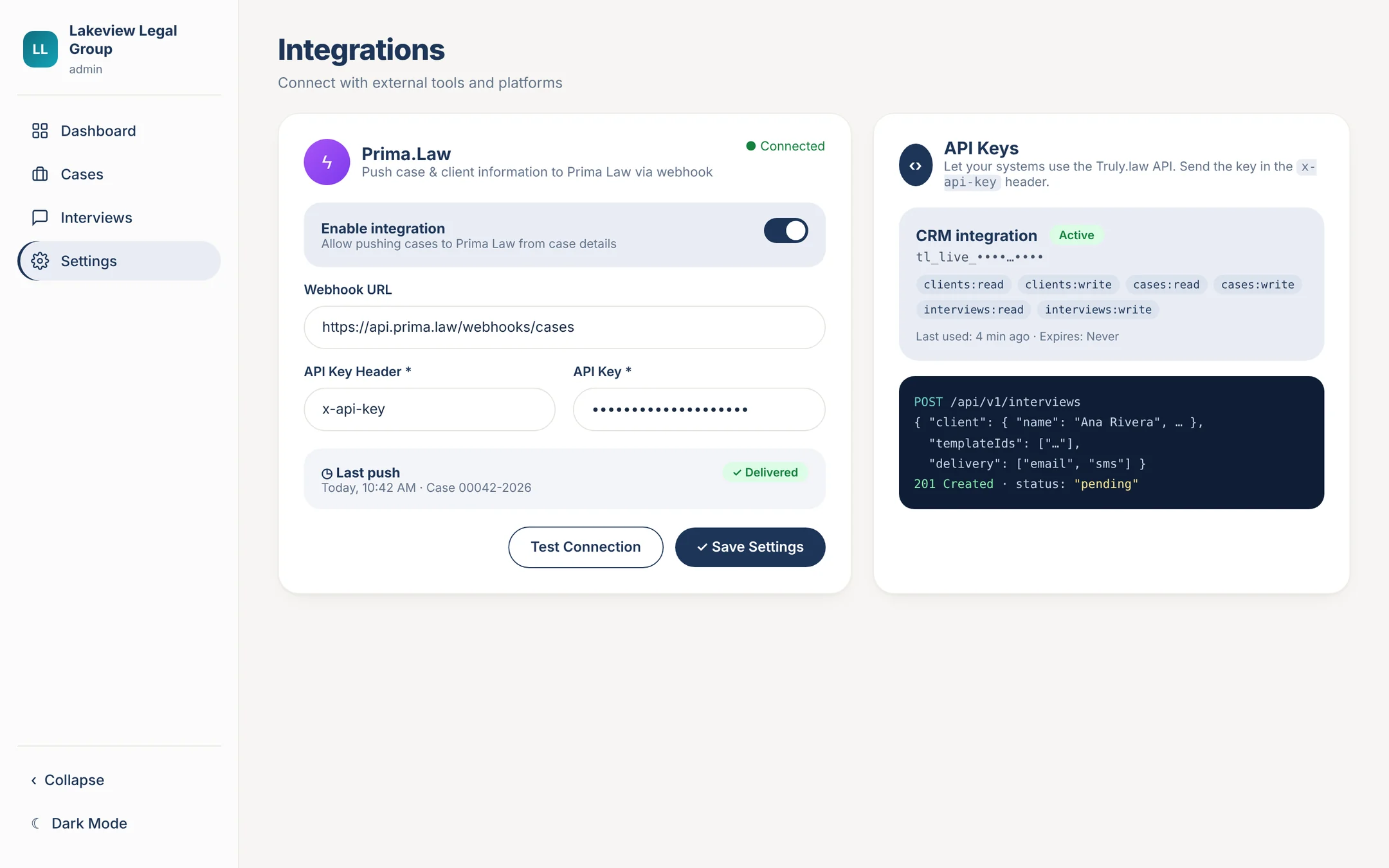
Truly API · beta
Schedule interviews and read results from any system.
The Truly API lets your case management system, CRM or intake tools create clients and cases, schedule AI intake interviews, and read back status, transcripts and results. It works with any tool that can make an HTTPS request, including automation platforms like n8n.
1. Pick a template
GET /templates lists the interview templates your firm has turned on.
2. Schedule the interview
POST /interviews with the client’s details. Truly sends the invite by email, SMS or WhatsApp.
3. Read the results
Poll GET /interviews?updatedSince=… and fetch the transcript and results when the status is completed.
Schedule an interview
One request can create the client and the case and send the invite.
curl https://api.truly.law/api/v1/interviews \
  -H "x-api-key: $TRULY_API_KEY" \
  -H "Content-Type: application/json" \
  -d '{
    "client": {
      "name": "Jane Doe",
      "email": "jane@example.com",
      "phone": "+15551234567",
      "externalContactId": "crm-1042"
    },
    "case": {
      "title": "Jane Doe v. Acme Corp",
      "caseType": "personal_injury"
    },
    "templateIds": ["665f1c2e9b1d4a0012ab0001"],
    "delivery": ["email", "sms"],
    "timezone": "America/New_York",
    "message": "Please complete this before our call on Friday.",
    "externalCaseId": "crm-case-77"
  }'
Read the results
Answers paired with questions, extracted facts, topics covered and pending, and uploaded documents.
GET /api/v1/interviews/{id}/results

{
  "success": true,
  "data": {
    "status": "completed",
    "clientApproved": true,
    "answers": [
      { "question": "What happened on the day of the accident?",
        "answer": "I was rear-ended at a stop light." }
    ],
    "extractedFacts": { "...": "keys depend on the template" },
    "coveredTopics": ["..."],
    "pendingTopics": [],
    "documents": [
      { "name": "Driver's license", "status": "pending_review",
        "url": "signed, time-limited link" }
    ]
  }
}
Security
Keys that belong to your firm.
- Admins create keys in Settings → Developer
- The full key is shown once. Store it in a secrets manager
- Every request only sees and changes your firm’s data
- Send the key in the x-api-key header or as a Bearer token
- 15 requests per second per key
Permissions
| Scope | Allows |
|---|---|
clients:read | Look up clients |
clients:write | Create clients |
cases:read | Read cases |
cases:write | Create cases |
interviews:read | List templates; read interviews, transcripts and results |
interviews:write | Schedule and cancel interviews |
Interview status
| Status | Meaning |
|---|---|
pending | Invite sent; the client hasn’t finished yet |
in-progress | The client has started the interview |
completed | Interview finished |
expired | The link expired (7 days after scheduling) before completion |
cancelled | Cancelled by the firm or by closing the case |
The API is in beta. Fields may be added; we won’t remove or rename fields without telling beta users first.
Want API access for your firm?
Book a demo and we’ll set up a key and walk your developer through the API.